Merchant Accounting Software
Manage your business professionally and easily

Issue & print invoices

Share invoices & bills

Manage debtors & creditors
Issue & print invoices
Share invoices & bills
Manage debtors & creditors
Purchase & sales invoices

Print & share invoices

Inventory & stock management
Manage debtors & creditors

Manage bank & cash accounts

Various reports and charts

Cloud backup

For retail, wholesale & service businesses

Merchant Accounting is a professional accounting software designed for business owners, retailers, wholesalers, freelancers, and
service providers who want a simple and efficient way to manage their business accounting.
You can easily create purchase and sales invoices and, when needed, print or share them.
After an invoice is issued, customer and supplier balances are updated accordingly,
allowing you to quickly track their debts and credits.
Payments can be recorded using cash or bank transfer options.
Furthermore, inventory management is simplified as stock levels are automatically updated when invoices are issued.
This helps you keep your stock information accurate and up to date.
Built for Android phones and tablets, Merchant Accounting Software lets you manage your business anytime, anywhere.
Create invoices on the go and keep customer, supplier, product, and financial records at your fingertips.
By simplifying everyday accounting tasks and providing useful reports and insights, this accounting software
saves you time and helps you stay informed about the financial performance of your business.
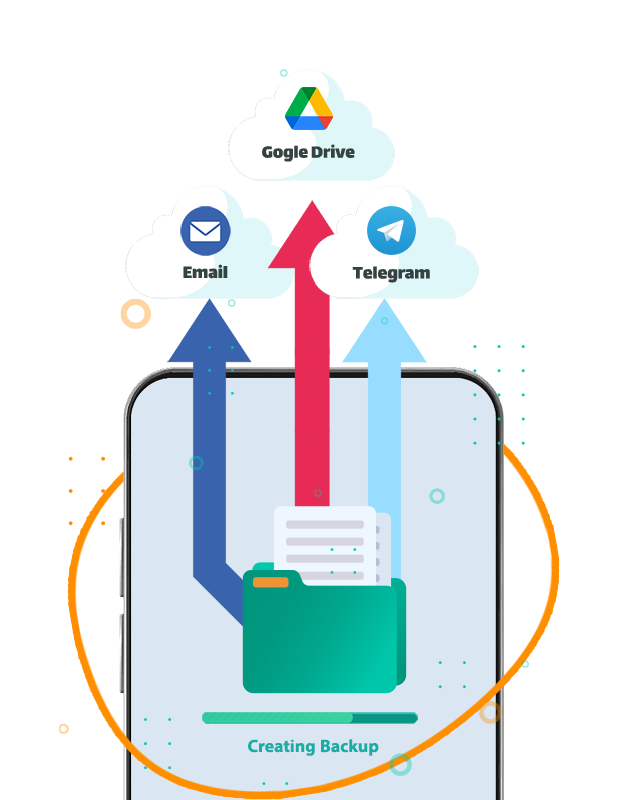
Secure and always-accessible online storage
Easily export a backup of your data to save on online platforms
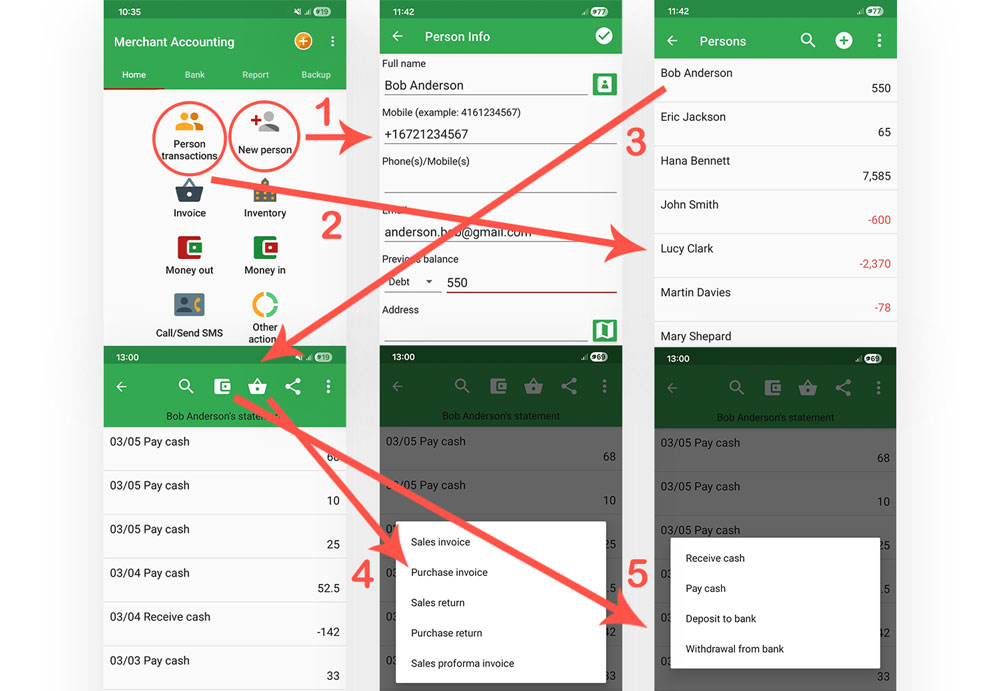
In the Customers & Suppliers section, you can add and manage customers and suppliers, including their mobile number, email address, bank account details, guarantor information, and more. You can also view a complete list of customers and suppliers along with their account balances, create invoices, and record receipts and payments using the “Person Transactions” option. In Person Transactions, a positive balance indicates that the customer or supplier owes you money, while a negative balance indicates that you owe them money.
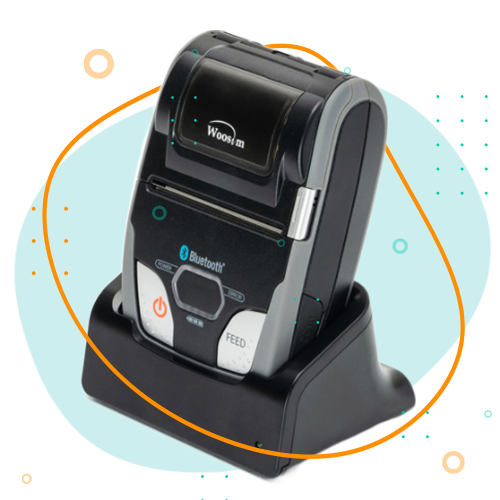
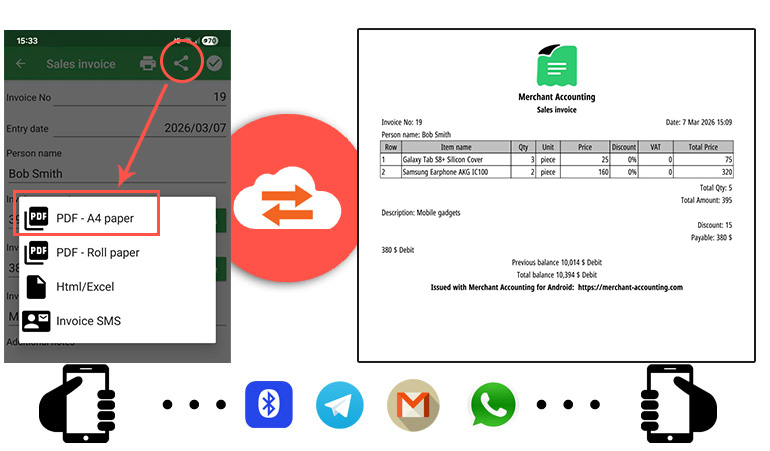
After opening the selected contact’s invoice, you can use the “Send” button to share the invoice or bill via Telegram, WhatsApp, and other apps. Note that if your mobile is connected to a printer, you can also print the invoice or bill directly.
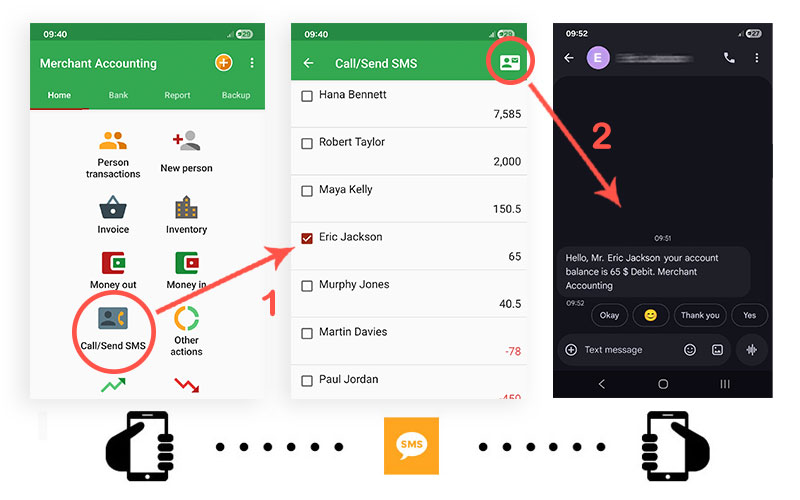
On the “Call/Send SMS” page, persons are sorted in descending order based on their outstanding balances. The person with the highest debt appears at the top of the list. You can select specific contacts and notify them of their balances via SMS. To make a call, simply tap on the person’s name.
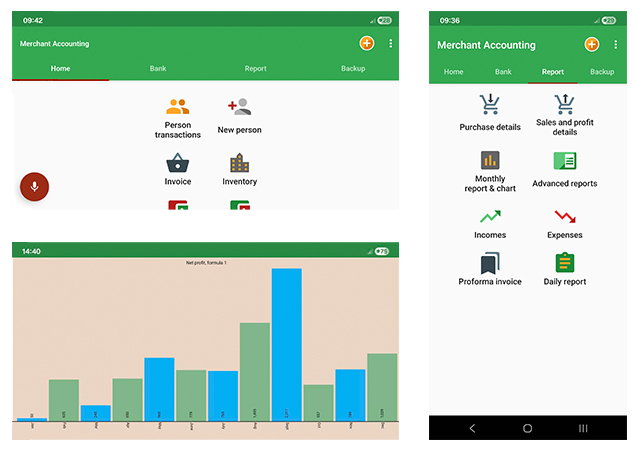
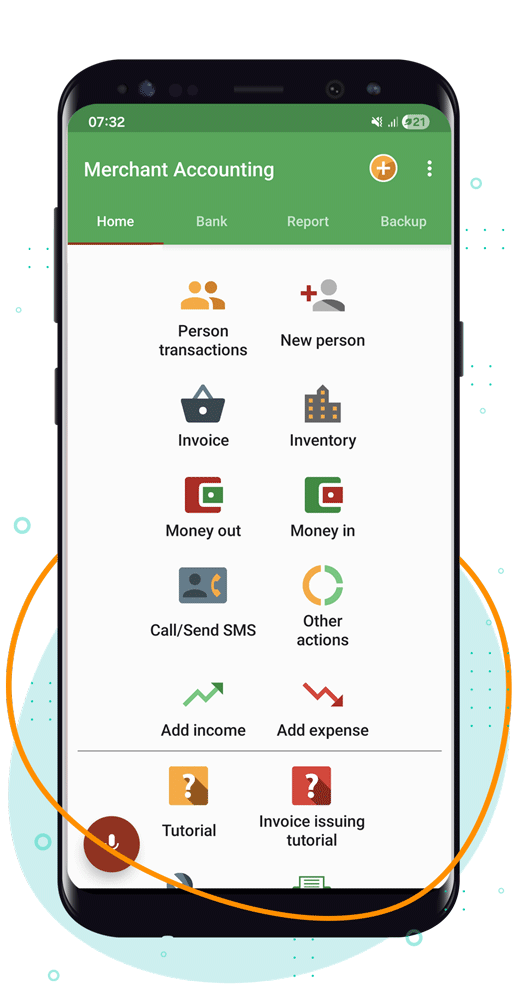
The first image shows the accounting app in vertical orientation. For ease of use, the app can also be used in horizontal orientation, and its layout for main screens and chart displays can be seen in the other images.