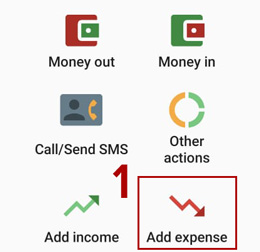
- Tap the "Add expense" button.
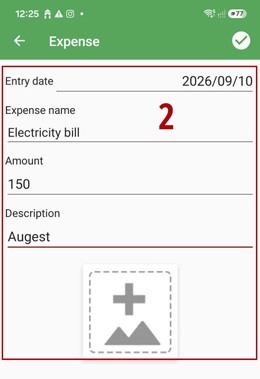
- Enter the expense details, including the date, expense name, and other information.
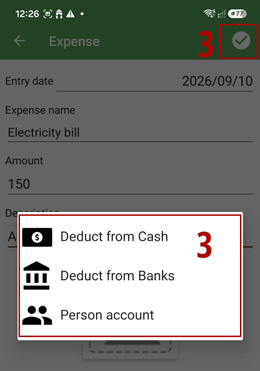
- Record the expense and select the source of payment. For petty cash advances, use the "Persons Account" option. Selecting "Cash" or "Bank" will deduct the expense amount from the corresponding cash or bank account.
- To view expense reports, go to the "Report" tab and select "Expenses".