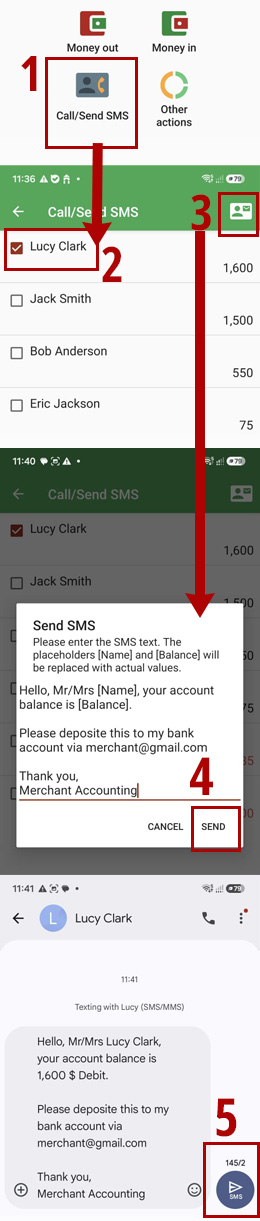
- Tap the "Call/Send SMS" button.
- You will see a list of persons along with their account balances. Persons who owe you money are shown at the top of the list, while persons you owe money to are shown at the bottom.
- Select the person you want to send the payment reminder SMS to.
- Tap the "Send" button at the top of screen.
- Tap the "Send" button to confirm.
- Send SMS via your device SMS manager app.